 vyberun
Manual › Getting started
What vyberun is
A terminal workspace for Windows, made for working with AI coding agents such as Claude Code.
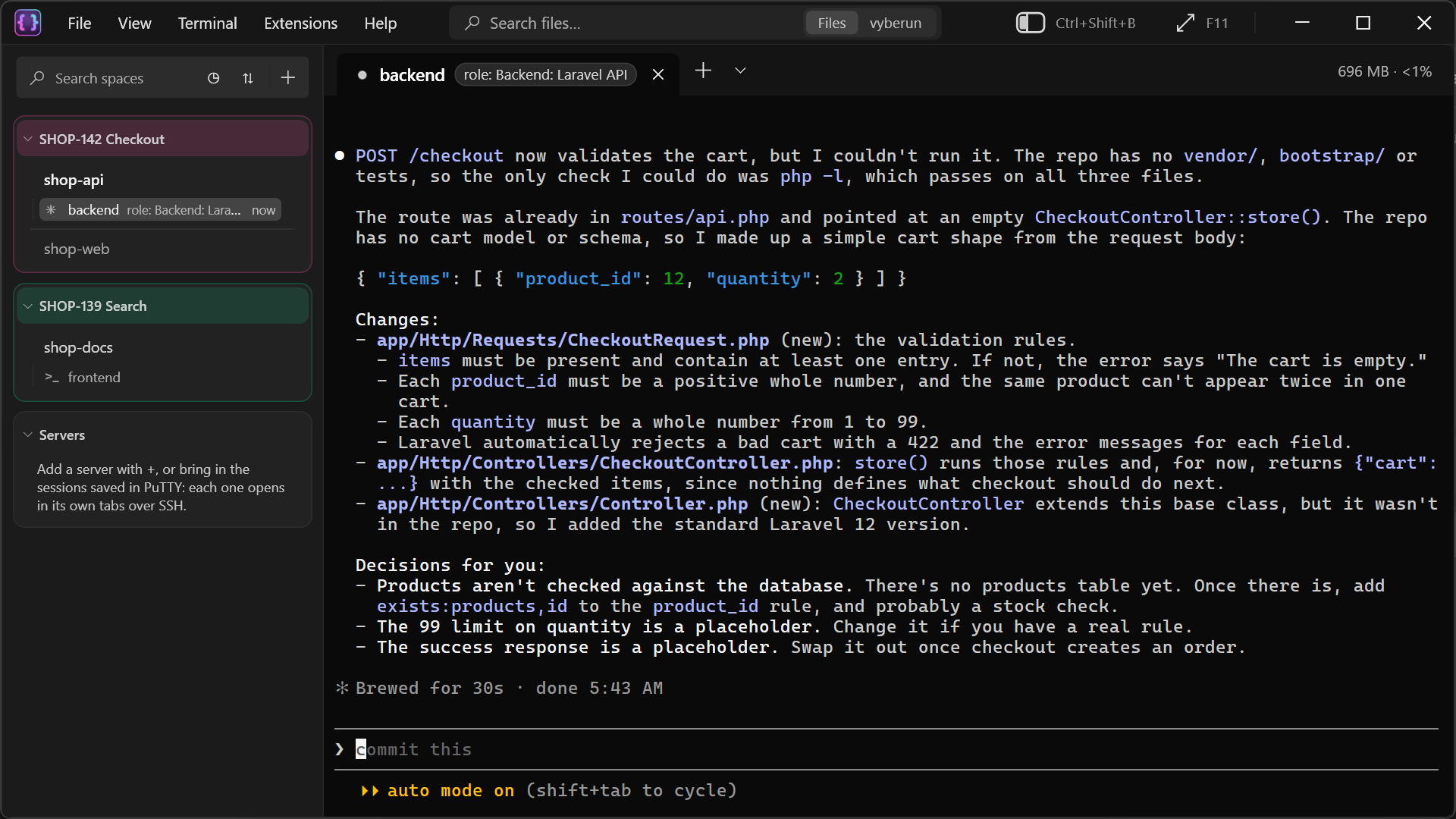
vyberun keeps your projects, terminals and servers in one window. Each project and server is a card in the sidebar, and each card has its own terminal tabs. Click a card and its tabs are there as you left them, still running, even after vyberun was closed.
What it does
- Tabs that keep running. Tabs don't stop when vyberun closes. They come back with their output when you open it again. See Sessions that survive.
- Spaces and cards. Group projects, terminals and servers into spaces, for example one space per ticket. Each card keeps its own tabs.
- Any shell. Git Bash, PowerShell, Command Prompt or Ubuntu (WSL), chosen per tab, with split panes.
- Servers. Connect over SSH with a key, a password or a saved PuTTY session. Work can keep running on the server after you disconnect. Nothing is installed on the server.
- AI agents that work as a team. Give each Claude Code tab a role, such as backend, frontend or QA. Agents know their teammates, hand work to each other, and can read other tabs when you allow it.
- Status at a glance. Each tab shows whether its agent is working, waiting for you or finished, and each space sums up what runs in it.
- Search everything. Search files and folders on your PC, your tabs, cards and settings, and inside Claude Code conversations.
- Screenshots. Capture a selection or a whole long conversation as one picture, mark it up and share it.
SHOP-142 Checkout 1 waiting · 1 working
shop-api
✳ backend role: Backend
shop-web
✳ frontend !
✳ qa done
backendrole: Backendfrontend !qa
● Adding the validation rules to CheckoutRequest.php
⎿ Writing app/Http/Requests/CheckoutRequest.php
✶ Working… (34s)
Who it's for
vyberun is for developers on Windows who work in terminals all day, often with more than one project, server or agent at a time. You don't need Claude Code to use it: everything except the agent features works with any shell and any command-line program.
What it isn't
- It isn't a code editor. Open a project in your editor from its card.
- It doesn't need an account or a sign-in, and it doesn't send your data anywhere.
- It doesn't install anything on your servers or change their settings.
Requirements
- Windows 10 (version 1809 or later) or Windows 11, 64-bit.
- Optional: Git for Windows for Git Bash tabs, WSL for Ubuntu tabs, PuTTY for saved PuTTY sessions and .ppk keys, Claude Code for the agent features.
vyberun is in alpha: it's used every day, but things can still change between versions. Next: Installing.