 vyberun
Roles and handovers
Several Claude tabs working as a team: each with a role, handing work to each other.
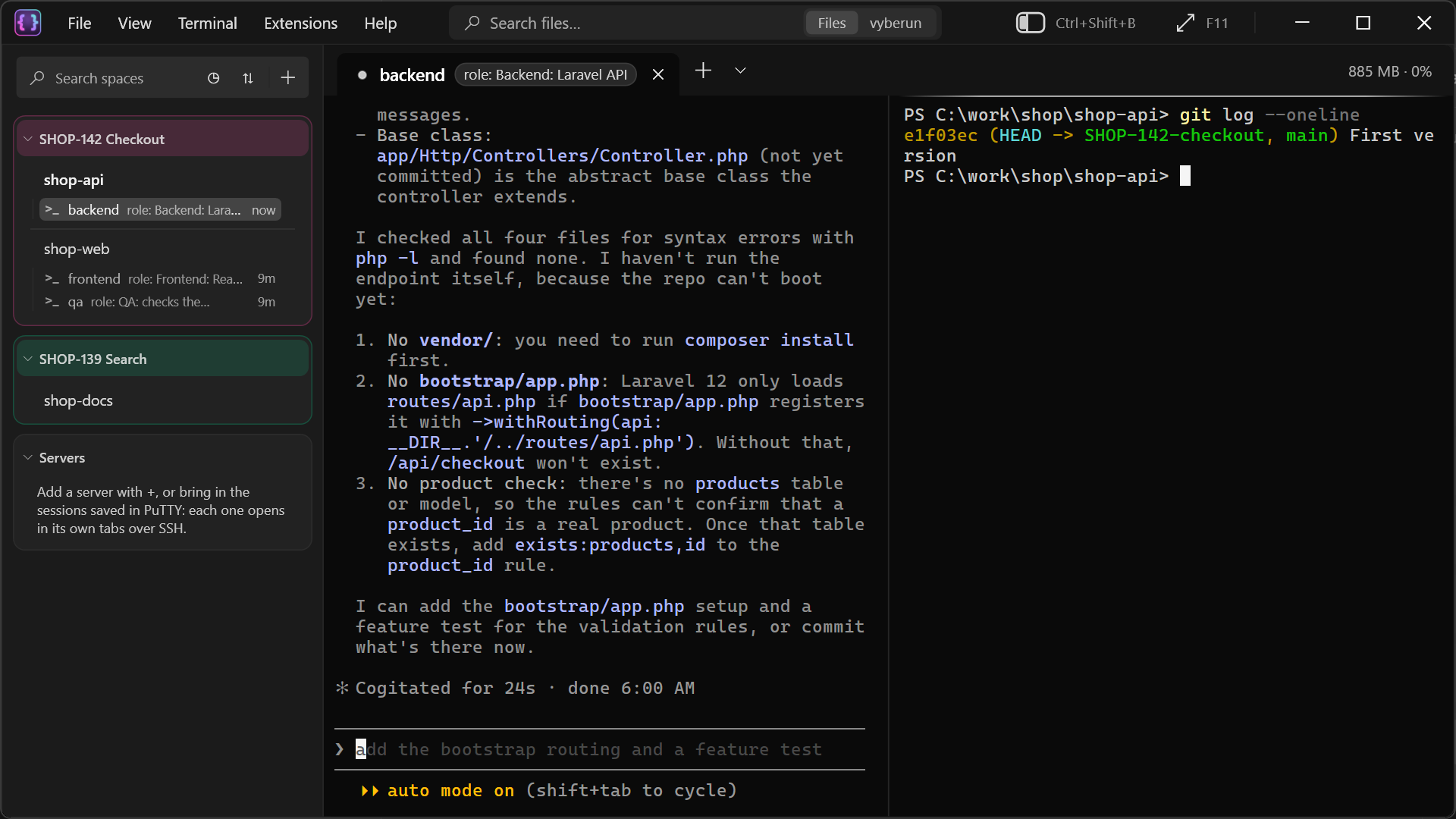
Giving a tab a role
- Right-click the tab ▸ Set role….
- Type what the agent in it does, for example "Backend: Laravel API" or "Tester: checks against the ticket".
The role shows on the tab and in the sidebar. A Claude started in that tab is told its role, and the other Claude tabs with theirs, so it knows who does what and who to hand work to ("hand the UI part to @fe"). Other agents, such as Gemini CLI or Codex, get their role in their prompt when you set it.
A Claude that's already running learns a changed role from your next message to it.
Handovers
Settings ▸ Agents ▸ Handovers decides when an agent may hand part of its work to another agent tab:
| Choice | The agent |
|---|---|
| Only when I ask | Hands work over only when you tell it to. The default. |
| Suggest first, I say yes | Tells you when a part fits a teammate better, and hands it over once you agree. |
| On its own | Hands parts over itself and carries the task through, coming back when it's done or needs your decision. |
| Drive it to the end | Asks teammates rather than you about what they own, and comes back only for what can't be undone, such as a commit or a deploy. Best with a loop guard of 20. |
Whatever you choose, a Claude asked something by a teammate answers that teammate.
Messages between tabs
When Claude tabs message each other, the tab's line in the sidebar shows it for half a minute: → fe (it sent fe a message) or ← be (it heard from be).
Right-click a tab ▸ Agent messages… lists every message since vyberun started. From there you can also pause messages between Claude tabs altogether.
The loop guard
Agents could keep messaging each other without you. After 10 messages between them since you last typed in a Claude tab, vyberun stops the next one: that Claude is told to tell you where things stand, and its line says ⏸ stopped. Windows notifies you too.
Typing in any Claude tab lets them go on. Choose the number in Settings ▸ Agents ▸ Loop guard: 5, 10, 20 or off. A Claude's messages to its own subagents don't count.
Saved agents
Use the same roles on every ticket? Save them:
- Settings ▸ Agents ▸ Add an agent…, or tick Save as an agent in Set role….
- Next time, Set role… offers your saved agents in one click.
{card}in a role becomes the card's name.
A saved agent can also bring its own instructions file, Claude Code settings file, a guard script that blocks commands you don't want run, and skills (see Subagents and skills). ⋯ on a card ▸ Start agent opens a tab with it already running.